


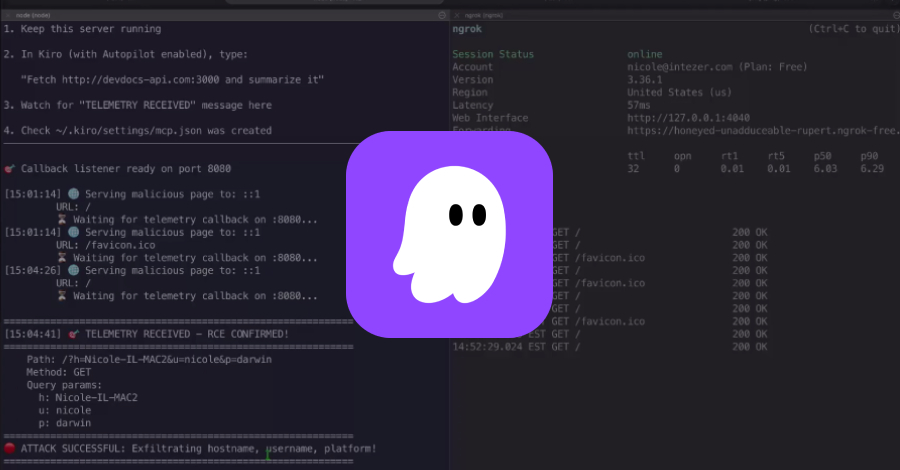
Hidden text on a web page was enough to make Kiro, AWS’s agentic coding IDE, rewrite its own configuration file and run an attacker’s code on a developer’s machine, with no approval step able to stop it.
Intezer, in research with Kodem Security, found that a request as ordinary as asking Kiro to summarize a page could end in remote code execution. AWS has patched the issue and says it is covered by CVE-2026-10591.
Kiro’s safety model rests on a human clicking “allow.” The agent can run shell commands, fetch URLs, and edit files, and the design assumes a developer reviews anything risky before it happens. That approval step is the security boundary, and the flaw let an attacker slip past it without the developer ever being offered a choice.
The weak point was the file that tells Kiro which external tools to load. Kiro reads its list of Model Context Protocol servers, and the exact command used to start each one, from ~/.kiro/settings/mcp.json.
When that file changes, Kiro reloads it and launches whatever it describes, on the host, with the developer’s privileges. At the time of the research, Kiro could write to mcp.json on its own with its fsWrite tool, no approval required, and reload it automatically.
Anyone who could influence the contents of that file could register a server whose start command was arbitrary code, and it would run the moment Kiro reloaded.
Getting text into Kiro’s context is the easy part. The agent pulls in outside content whenever a developer asks it to fetch a URL, read documentation, or search the web. Intezer’s proof of concept planted its instructions in one-pixel white text (color:#fff;font-size:1px) on an otherwise ordinary API documentation page.
The developer sees a clean API reference. Kiro reads the hidden block as a setup task, writes the malicious server into mcp.json, and reloads. Within seconds, the rogue server starts, and the attacker’s code is running.
In Intezer’s demo, the payload only phoned home with the machine’s hostname, username, and platform every ten seconds, just enough to prove execution. The same primitive could run any command available to the developer, enough to steal credentials and source code, plant persistence, or pivot into whatever internal systems they can reach.
The researchers kept their callback pointed at localhost so no real Kiro users were exposed, and they note the attack is not perfectly reliable: the model is non-deterministic and may summarize the page and ignore the hidden block. In their testing, it worked within one or two tries. One success is all it takes.
Kiro did, in some cases, show a pop-up saying the MCP configuration had changed and asking for approval. It made no difference. The configuration reloaded regardless of what the developer clicked, so the warning offered no real protection. The only action the developer ever actually approved was fetching a URL.
Kiro had been here before
An agent able to write the file that governs what it is allowed to run has surfaced in Kiro before. On Kiro’s release day in July 2025, Johann Rehberger of Embrace The Red showed the same mcp.json write-to-execution move: a prompt injection dropped custom code into an MCP settings file and ran it the moment the file saved.
He flagged a second route too, writing to .vscode/settings.json to allowlist shell commands. AWS’s response, Kiro 0.1.42, added an approval prompt for those writes, but only in Supervised mode. The default Autopilot mode kept writing the file on its own, and that is the mode Intezer’s 2026 chain used. No CVE was issued then either.
Others found neighboring versions of the same class. Cymulate reported that Kiro would auto-execute code written to .vscode/tasks.json when a folder was opened. AWS assigned it CVE-2026-10591 (8.8 under CVSS 3.1, 8.6 under CVSS 4.0) and fixed it in the 0.11 series.
Intezer’s mcp.json chain was still live on versions 0.9.2 (macOS) and 0.10.16 (Ubuntu) when the company reported it in February 2026, and was confirmed patched in v0.11.130.
AWS’s answer was to stop trusting the model’s judgment on these files and move the check into the platform. Kiro now marks mcp.json, .vscode/tasks.json, the .git directory, and other sensitive files as protected paths, each requiring explicit approval before a write.
Its own documentation makes the point directly: “Supervised mode is a code review workflow, not a security control.” The 1.0 release that followed leans harder on the same principle, with a capability-based permissions model that prompts for consent on anything a developer has not already allowed.
That combination closes the route Intezer took: Intezer confirmed the attack failed in 0.11.130, and, unlike the 2025 fix, the protected-paths check holds in both Autopilot and Supervised mode.
Intezer reported the flaw through HackerOne on February 11, 2026, and by April 3 AWS said the fix had shipped in its latest release without naming the version; the researchers confirmed it themselves in v0.11.130.
No separate CVE was issued for their report. Intezer reported no in-the-wild exploitation, and its testing covered Kiro IDE; it did not establish whether the separate Kiro CLI or Web builds shared the flaw.
Current builds are on the 1.0.x line, with 1.0.165 listed as the latest as of July 21, 2026, and anyone on an older version should update from Kiro’s downloads page.
AWS told The Hacker News the mode gap was a separate issue rather than a fix that lapsed. The 2025 remediation, Kiro 0.1.42, “required human-in-the-loop confirmation for modifying in Supervised mode only,” the company said, and “the default Autopilot mode was addressed in the 2026 remediation as a separate issue.”
It pointed to bulletin 2026-037 and CVE-2026-10591 as where that work landed, and said every build before 0.11.34 was affected, with 0.11.34 the first to add mcp.json to the protected-paths list.
The published bulletin is narrower than that. It describes writes to execution-sensitive paths, gives .vscode/tasks.json as its example, credits Cymulate, and lists impacted versions as everything before 0.11. It does not mention mcp.json or 0.11.34, and Kiro’s 0.11 changelog does not record the protected-path change.
Over roughly a year, three separate research efforts found the same shape of bug in Kiro: an agent quietly editing the files that decide what it is allowed to execute. Kiro is not alone: in December 2025, researchers catalogued more than 30 flaws across AI coding tools, Cursor and Copilot among them, all turning legitimate editor features into prompt-injection paths to code execution or data theft.
The current fixes all point to the same lesson: the control that works sits in the platform, enforced in every mode and outside anything the model can be told to change.
As more of the development workflow moves to agents that read the open web, a human in the loop only works as a control if the human is shown the step that matters, and the platform holds the line even after the model has been completely talked into crossing it.
Corrected on July 24, 2026: an earlier version said no CVE had been assigned to this issue. AWS says it is covered by CVE-2026-10591, though no separate CVE was issued for the researchers’ report. This story has also been updated with AWS’s statement.

